

Super-i 每个人都可以成为超级个体
本次教程聚焦「游戏手柄产品 CG 素材制作」,通过 AI 工具实现从 “静态高清图” 到 “动态视频” 的全流程,最终产出可直接用于剪辑的专业素材。核心工具:
Midjourney:生成超写实游戏手柄静态图、产品 CG 质感视频;
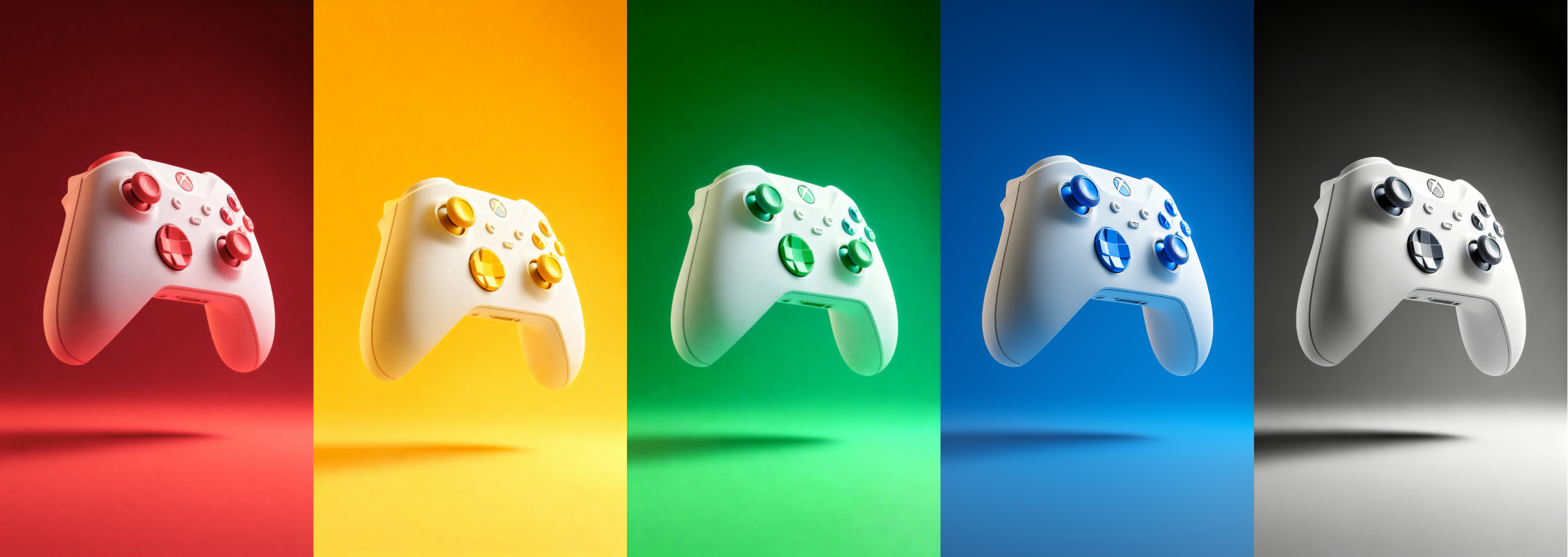
即梦 4.0:对蓝色手柄图进行精准改色(红 / 绿 / 黄 / 黑白色系),保留产品材质质感;
核心成果:5 类静态手柄图、3 类动态视频、4 种改色手柄素材,满足电商详情页、产品宣传片、社交媒体剪辑等场景需求。
第一章:Midjourney 生成游戏手柄静态 CG 图
Midjourney 生图的关键是 “提示词逻辑闭环”—— 先明确「核心目标」,再用「风格调性 + 视觉元素 + 技术细节」填充,确保 AI 精准理解需求。以下 5 类场景覆盖 “局部特写、促销主题、极简产品”,需逐一生成并保存素材。
第一节:Midjourney 生成静态图
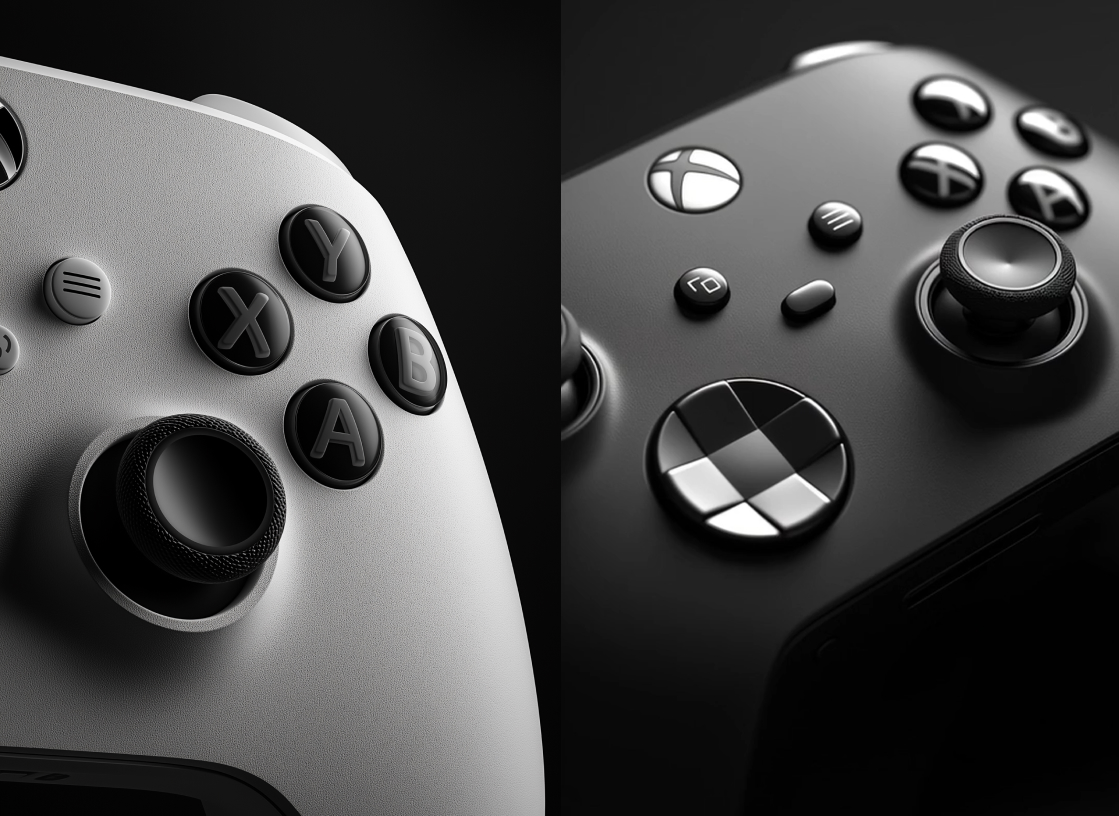
场景 1:黑白艺术风手柄局部特写(突出细节质感)
1. 提示词原文
close-up of a section of a xbox Handle controller, front view, black and white, dark background, 3D render, ultra-realistic image, artistic photography
2. 提示词思考逻辑
核心目标:聚焦手柄局部(如按键、摇杆纹理),用黑白高对比凸显材质细节;
视觉元素:close-up(特写)+ front view(正视图)锁定视角,dark background(深色背景)避免干扰,让观众注意力集中在手柄纹理上;
技术风格:3D render(3D渲染)+ ultra-realistic(超写实)保障质感,artistic photography(艺术摄影)赋予画面冷峻艺术感,避免机械感;
3. 操作步骤
打开 Midjourney 对话框,粘贴上述提示词;
等待生成 4 张预览图,选择细节最清晰的 1 张(优先看摇杆防滑纹、按键边缘锐利度);
点击「Upscale—Creative」(放大),获取高清图。
4. 预期效果
深色背景下,黑白对比突出手柄局部的塑料颗粒感、按键缝隙细节,画面兼具 “产品精度” 与 “艺术感”,适合作为教程封面或剪辑中的细节特写镜头。
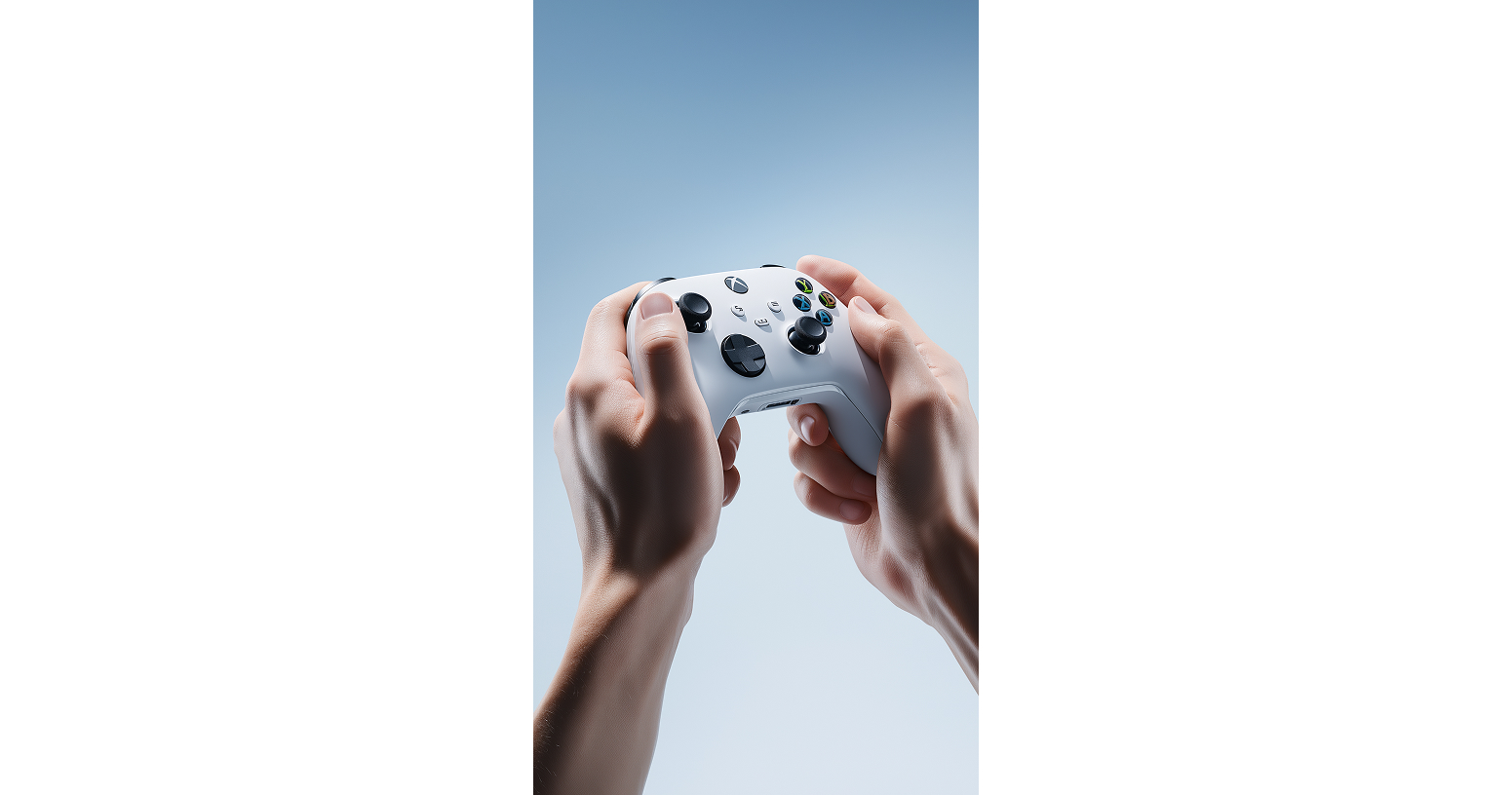
场景 2:超写实双手握持 Xbox 手柄(广告级交互图)
1.提示词原文
Ultra-realistic, high-quality studio photo of two human hands naturally holding a real Xbox Handle white controller. The hands are positioned in a natural, dynamic gaming grip, with full attention to realistic skin texture, visible finger creases, natural shadows, and proper human anatomy. The Xbox controller appears in its true-to-life proportions and details including joysticks, buttons, logo, and textured surface all shown clearly and sharply. The background is a clean, solid isolated blue color, similar to a professional advertising studio backdrop, with no distractions or environmental elements. Lighting is soft and professional like a product photoshoot with natural shadows and balanced exposure. Shot using a wide-angle lens from a low POV perspective (point of view), capturing an immersive, interactive feeling as if the viewer is about to play. The image must feel like a real, professional photo captured with a DSLR camera perfect for advertising campaigns, product showcases, or promo visuals
2. 提示词思考逻辑
3. 操作步骤
4. 预期效果
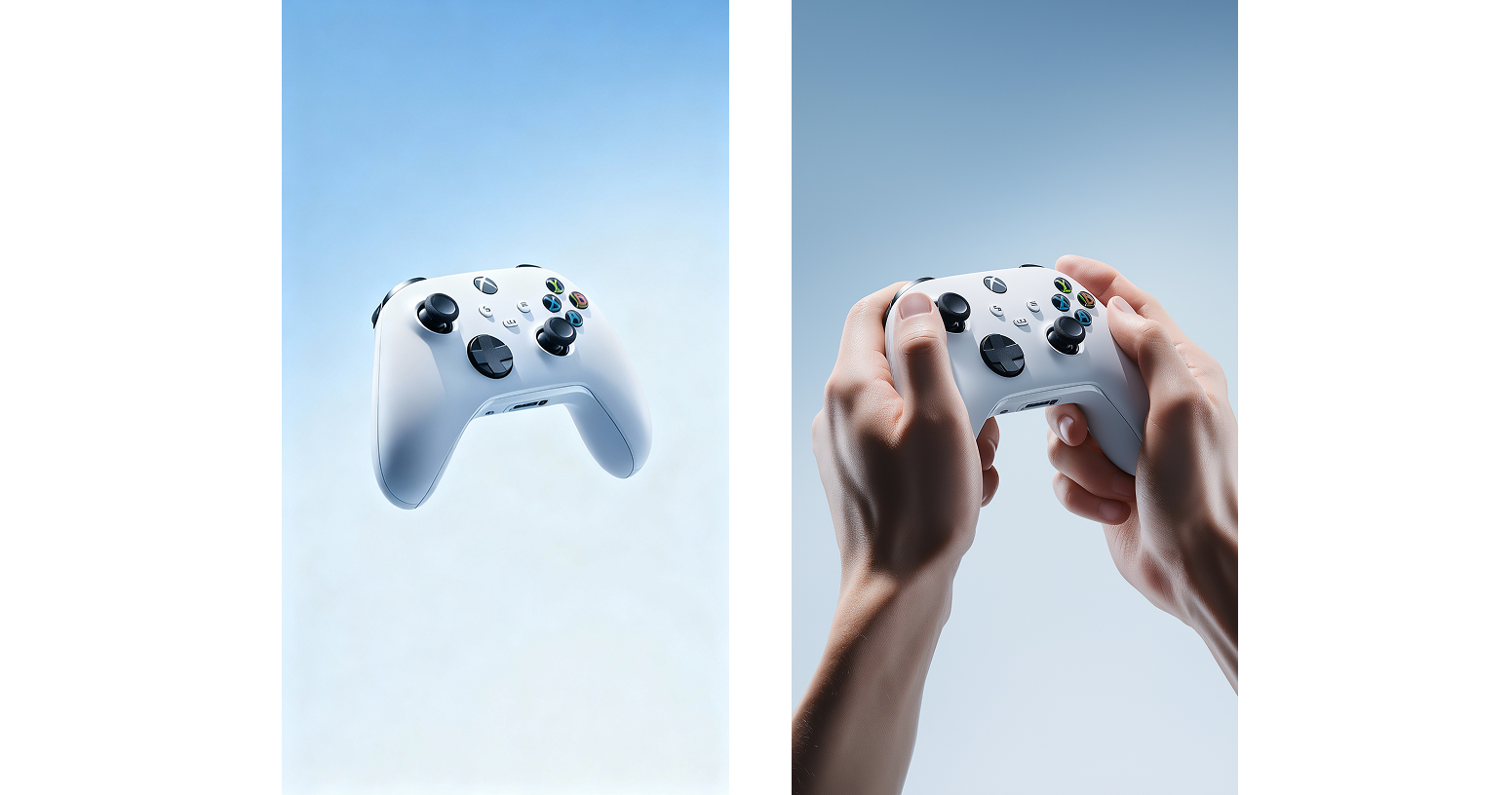
纯色蓝底上,双手以游戏握姿自然握持白色 Xbox 手柄,皮肤纹理(如指纹、指节纹路)清晰可见,手柄摇杆、按键细节无遮挡,低视角广角镜头带来强烈代入感,画面完全媲美真实 DSLR 拍摄的广告图,可直接用于电商详情页 “使用场景” 板块。
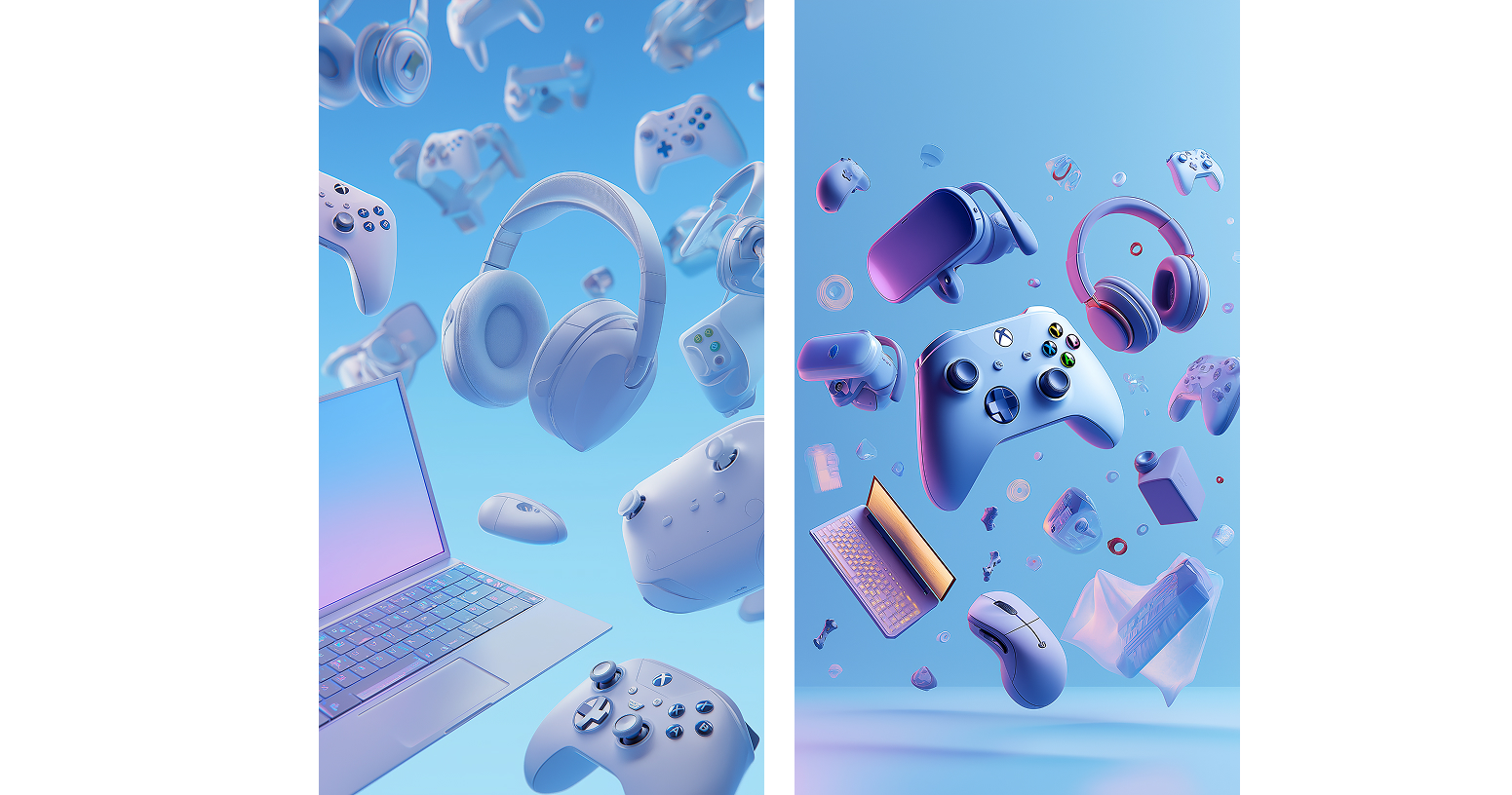
场景 3:游戏配件促销主题(Xbox 手柄为核心,活泼梦幻风)
1.提示词原文
Cute and high-quality 3D rendering of a Gaming Accessories Sale theme, with floating playful tech and gaming elements against a clear blue background. xbox game controllers as a focus, Include laptop, headphones, gaming mice, VR headsets, and dynamic LED lighting. No text. Joyful and dreamy atmosphere, premium CGI style, vibrant color palette, cinematic lighting
2. 提示词思考逻辑
3. 操作步骤
4. 预期效果
清澈蓝背景上,Xbox 手柄居中悬浮,周边配件环绕,LED 光带点缀,画面充满 “梦幻感”,适合作为促销视频的开场或转场镜头。
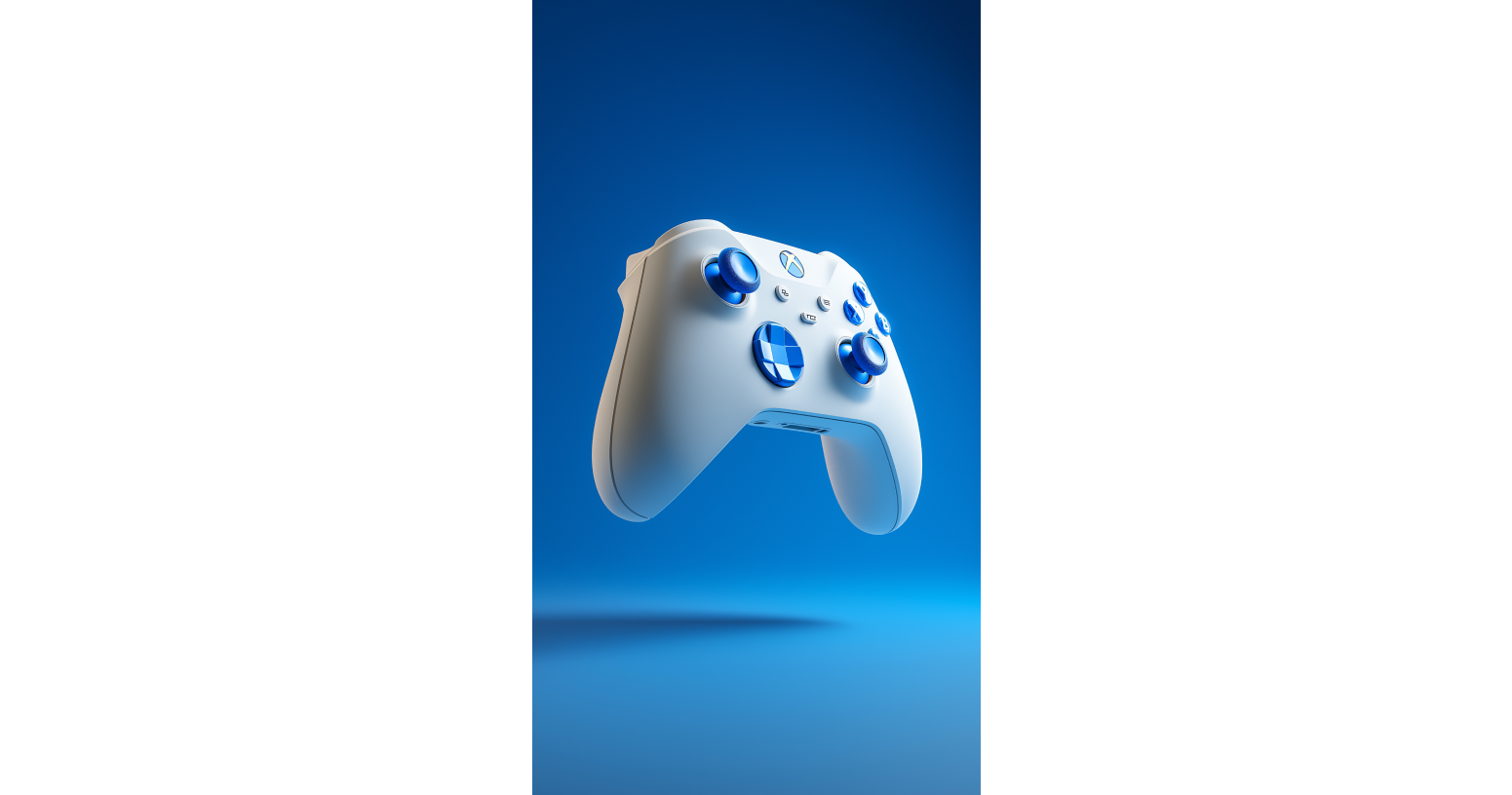
场景 4:极简超写实手柄产品图(适合改色基础素材)
1.提示词原文
3D render of a white xbox game controller with blue buttons on the side, floating in the air against a solid background. Minimalistic, hyper-realistic style with studio lighting, created using Octane Render. High-resolution photography, insanely detailed, and professionally color-graded. The image is isolated and centered
2. 提示词思考逻辑
3. 操作步骤
4. 预期效果
纯色背景下,白手柄 + 蓝按键悬浮,手柄纹理(如握把防滑纹、按键凹槽)清晰可见,光影均匀,无多余元素,是理想的改色素材。
第二节:即梦 4.0 手柄改色
这一步较为简单,只需要通过即梦4.0上传蓝色手柄图片后输入提示词:
“把图片的整体氛围和主题变成红色的,色彩经过专业调校,饱和度不宜过高”
只需修改对应的颜色就行
第三节:即梦 4.0 图像精细化处理
处理 1:去掉 “手握手柄图” 中的手,保留纯手柄(作为 AI 视频首帧)
处理目的
将 “场景 2 的双手握持图” 优化为 “纯手柄悬浮图”,用于后续首尾帧生成铺垫
提示词:“把图片中的手去掉”
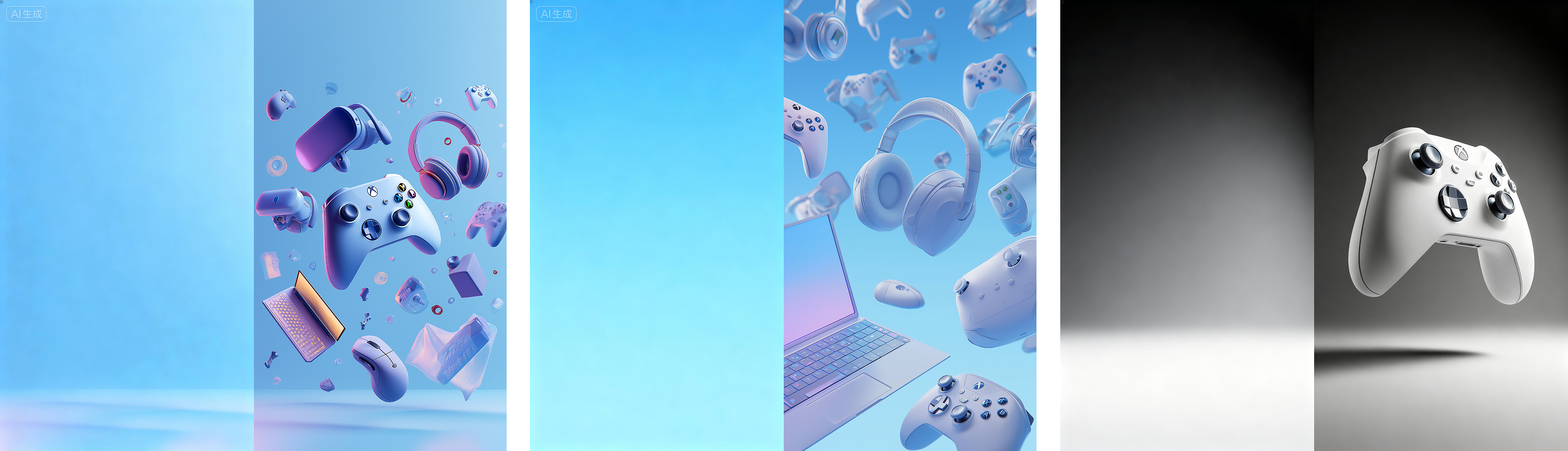
处理 2:保留的背景,删除所有产品
处理目的
将 “场景3的游戏配件促销图” 优化为 “纯背景图”,用于后续 “多产品旋转入镜” 视频的首帧(视频需从 “空背景” 过渡到 “产品齐全”,确保动态流畅)。
“去掉所有产品只留下背景”
(第二节中改色的黑白手柄图也是如此操作)
第二章:Midjourney 生成游戏手柄动态 CG 视频
以 “静态图为基础” 生成视频,核心是 “明确动态逻辑 + 保持产品质感”,需先上传对应静态图作为 “首帧”,再搭配动态提示词,确保视频连贯性。
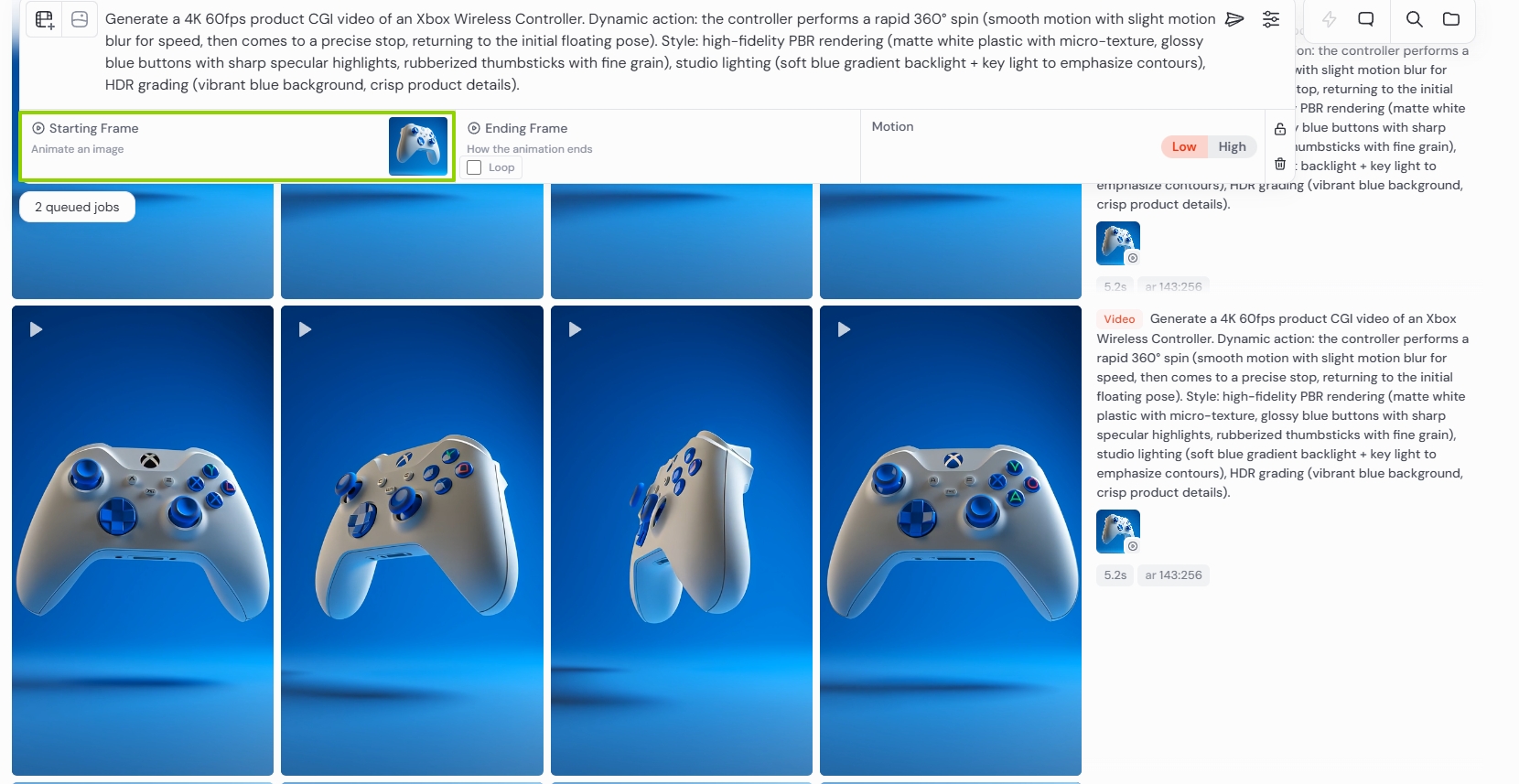
动态 1:手柄 360° 快速旋转后停止(突出整体设计)
1.提示词原文
Use the provided image as the first frame. Generate a 4K 60fps product CGI video of an Xbox Wireless Controller. Dynamic action: the controller performs a rapid 360° spin (smooth motion with slight motion blur for speed, then comes to a precise stop, returning to the initial floating pose). Style: high-fidelity PBR rendering (matte white plastic with micro-texture, glossy blue buttons with sharp specular highlights, rubberized thumbsticks with fine grain), studio lighting (soft blue gradient backlight + key light to emphasize contours), HDR grading (vibrant blue background, crisp product details)
2. 提示词思考逻辑
3. 操作步骤
动态 2:双手握持手柄过程(模拟真实交互)
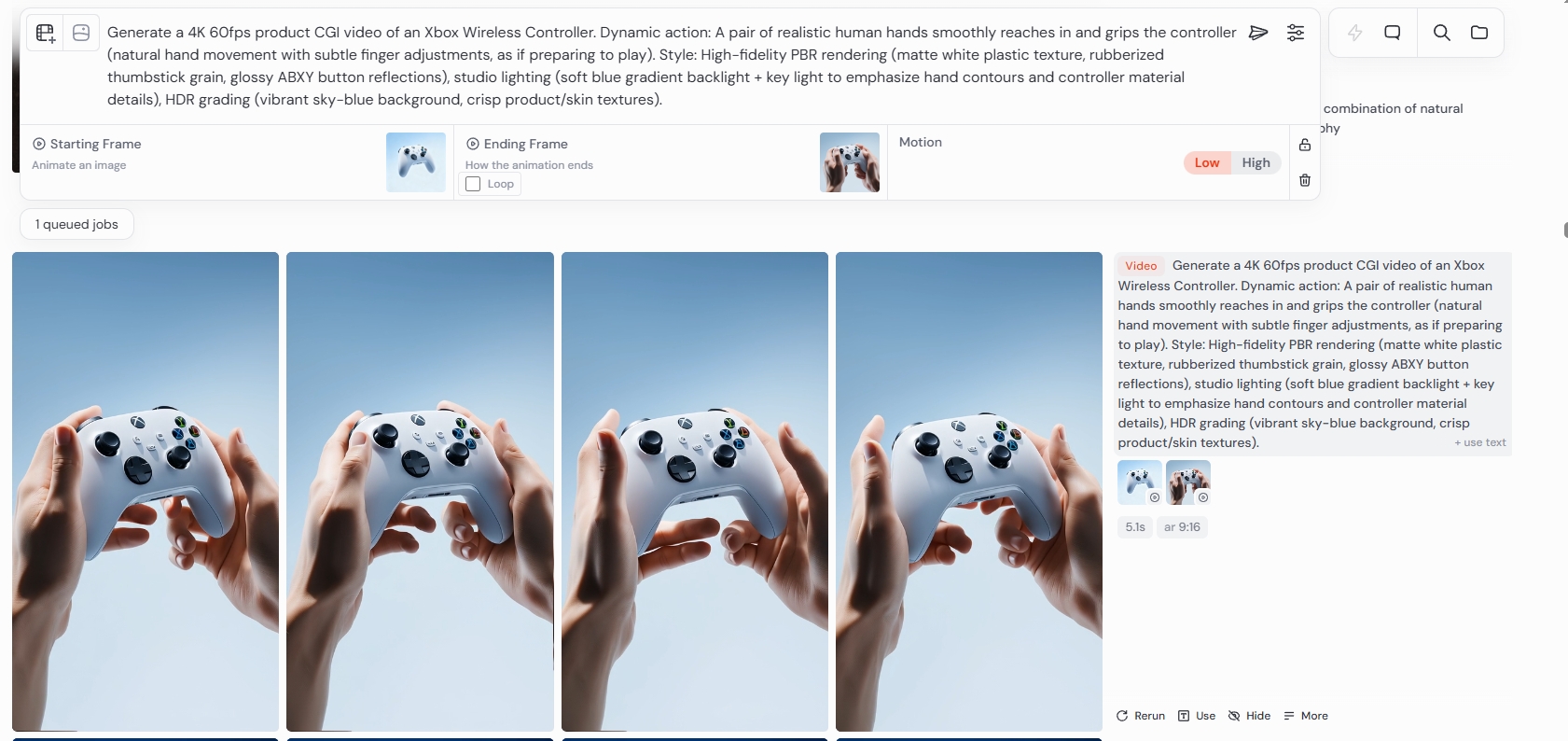
1.提示词原文
Use the provided image as the first frame. Generate a 4K 60fps product CGI video of an Xbox Wireless Controller. Dynamic action: A pair of realistic human hands smoothly reaches in and grips the controller (natural hand movement with subtle finger adjustments, as if preparing to play). Style: High-fidelity PBR rendering (matte white plastic texture, rubberized thumbstick grain, glossy blue buttons with sharp specular highlights), studio lighting (soft blue gradient backlight + key light to emphasize hand contours and controller material details), HDR grading (vibrant sky-blue background, crisp product/skin textures)
2. 提示词思考逻辑
3. 操作步骤
动态 3:横向平滑运镜(聚焦局部细节)
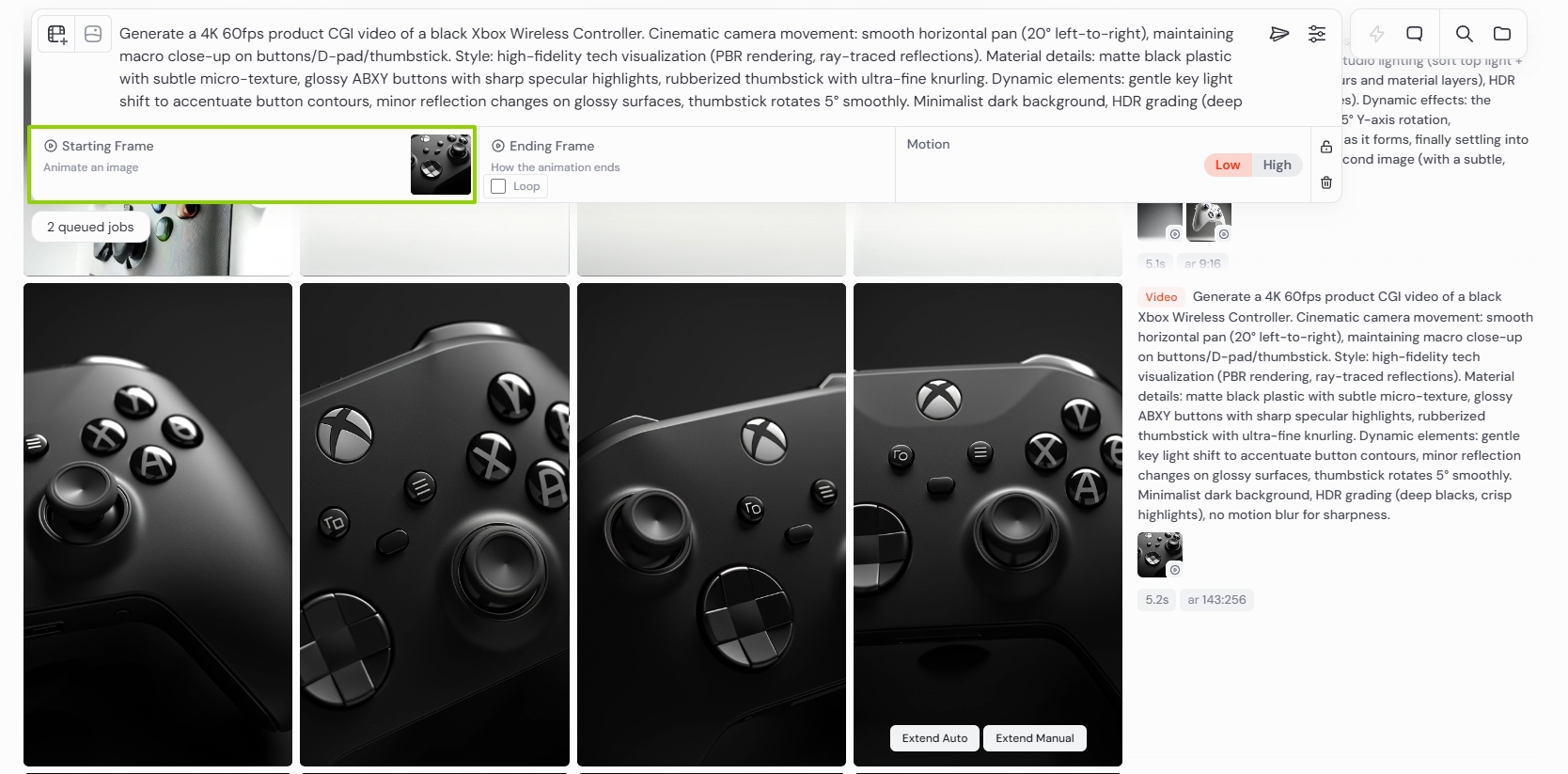
1.提示词原文
Use the provided image as the first frame. Create a 4K 60fps product CGI video of a black Xbox Wireless Controller. Cinematic camera movements: slow horizontal pan (20°), gentle dolly zoom toward ABXY buttons, macro close-up of the thumbstick’s texture. Style: high-end tech product trailer (like Microsoft’s official device videos). Physically based rendering (PBR) with ray-traced reflections, matte black plastic with micro-texture, glossy black ABXY buttons with sharp specular highlights, rubberized thumbstick with ultra-fine grain. Dynamic details: subtle key light shift to highlight angles, minor dust particles in studio depth of field, ABXY buttons depress slightly (with soft click sounds implied), thumbstick rotates 10° smoothly. Minimalist black background, HDR grading (deep blacks, crisp whites), no motion blur for sharpness
2. 提示词思考逻辑
3. 操作步骤
动态 4:白色手柄横向摇摄 + 推拉变焦(细节特写,适配产品介绍)
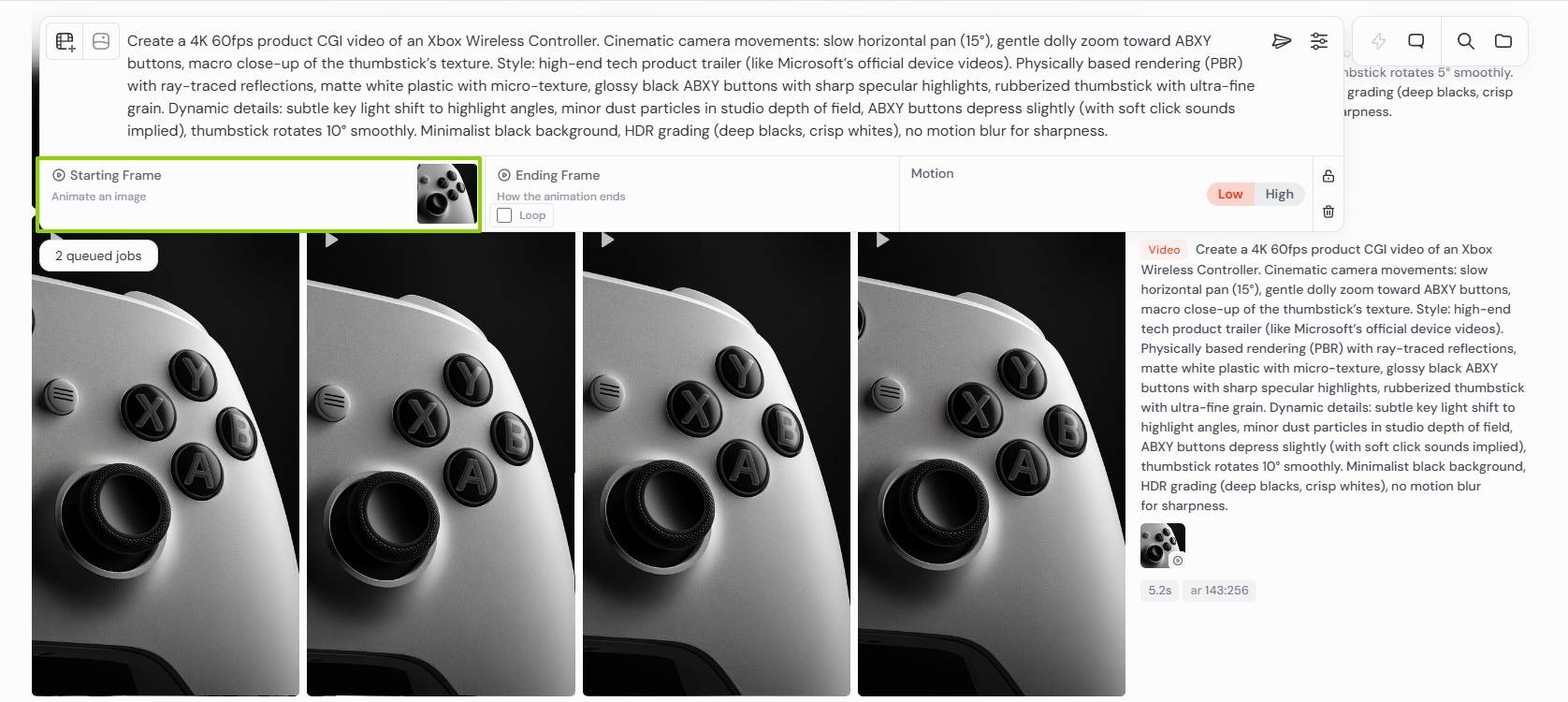
1.提示词原文
Use the provided image as the first frame. Create a 4K 60fps product CGI video of an Xbox Wireless Controller. Cinematic camera movements: slow horizontal pan (15°), gentle dolly zoom toward ABXY buttons, macro close-up of the thumbstick’s texture. Style: high-end tech product trailer (like Microsoft’s official device videos). Physically based rendering (PBR) with ray-traced reflections, matte white plastic with micro-texture, glossy black ABXY buttons with sharp specular highlights, rubberized thumbstick with ultra-fine grain. Dynamic details: subtle key light shift to highlight angles, minor dust particles in studio depth of field, ABXY buttons depress slightly (with soft click sounds implied), thumbstick rotates 10° smoothly. Minimalist black background, HDR grading (deep blacks, crisp whites), no motion blur for sharpness
2. 提示词思考逻辑
3. 操作步骤
4. 预期效果
黑底背景下,白手柄随横向摇摄缓慢移动,推拉变焦后逐步聚焦 ABXY 按键(轻微按压凸起)与摇杆(小角度旋转,防滑纹清晰),主光随运镜偏移,突出手柄不同角度的材质层次,画面媲美微软官方产品宣传视频,适合作为 “手柄细节介绍” 剪辑片段。
动态 5:白色手柄从空背景自然浮现(突出精致感,适配开场)
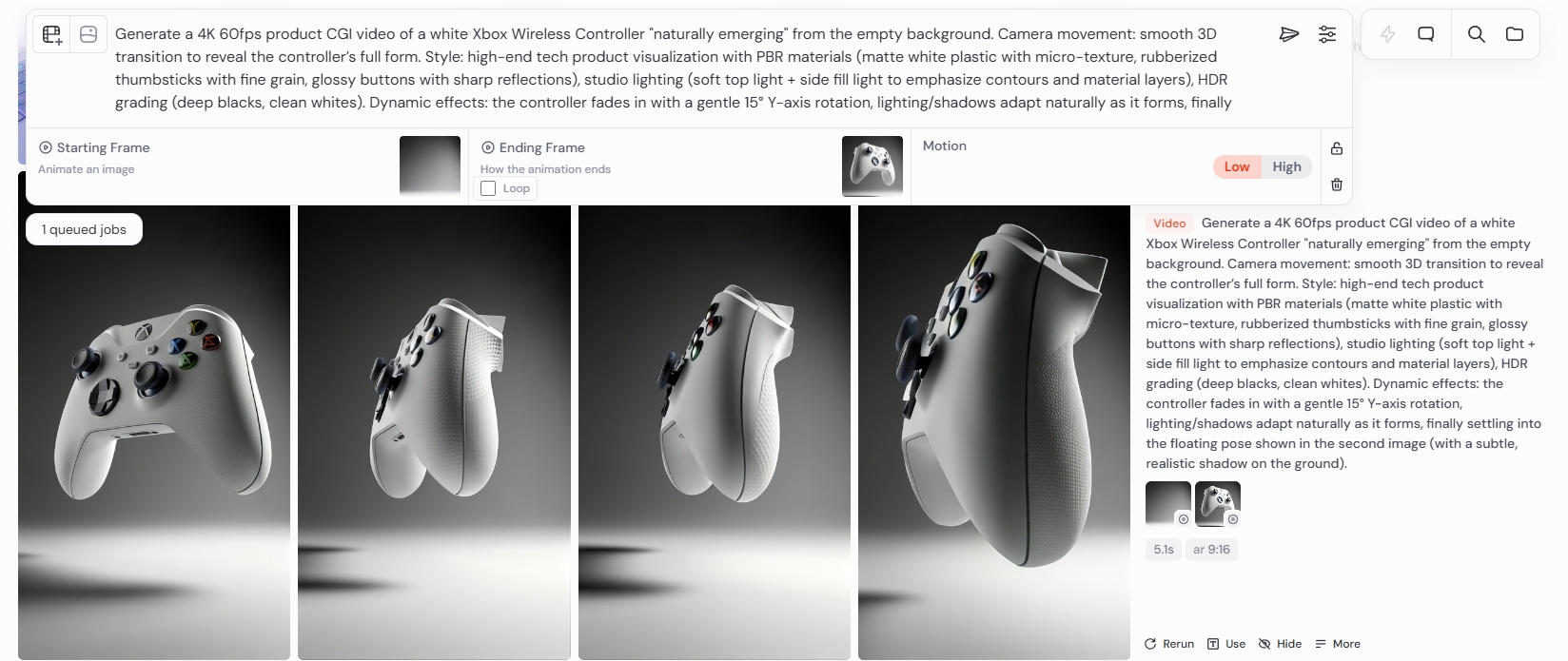
1.提示词原文
Camera movement: smooth 3D transition to reveal the controller’s full form. Style: high-end tech product visualization with PBR materials (matte white plastic with micro-texture, rubberized thumbsticks with fine grain, glossy buttons with sharp reflections), studio lighting (soft top light + side fill light to emphasize contours and material layers), HDR grading (deep blacks, clean whites). Dynamic effects: the controller fades in with a gentle 15° Y-axis rotation, lighting/shadows adapt naturally as it forms, finally settling into the floating pose shown in the second image (with a subtle, realistic shadow on the ground)
2. 提示词思考逻辑
3. 操作步骤
4. 预期效果
动态 6:多产品旋转入镜(游戏配件促销,适配场景化展示)
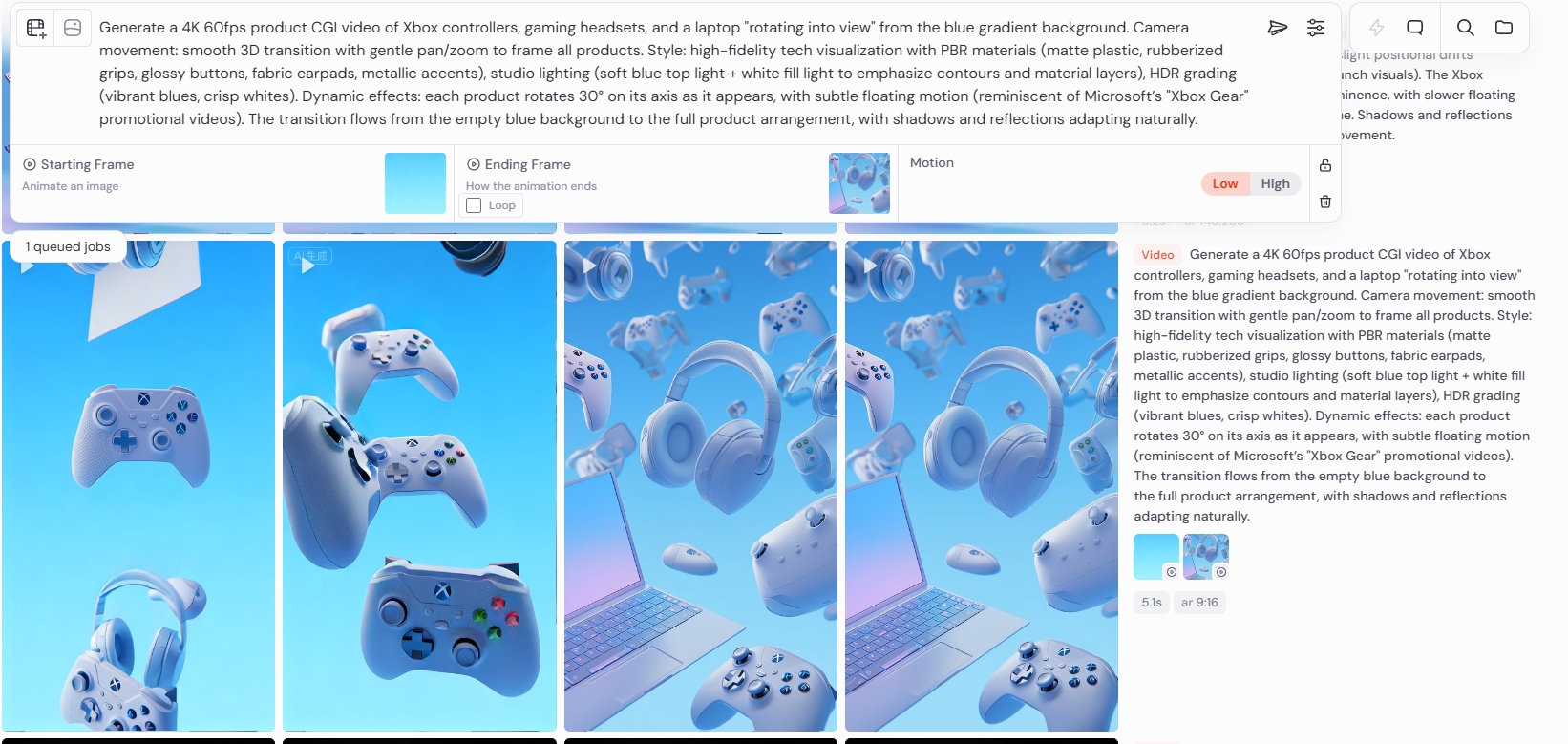
1.提示词原文
smooth 3D transition with gentle pan/zoom to frame all products. Style: high-fidelity tech visualization with PBR materials (matte plastic, rubberized grips, glossy buttons, fabric earpads, metallic accents), studio lighting (soft blue top light + white fill light to emphasize contours and material layers), HDR grading (vibrant blues, crisp whites). Dynamic effects: each product rotates 30° on its axis as it appears, with subtle floating motion (reminiscent of Microsoft’s “Xbox Gear” promotional videos). The transition flows from the empty blue gradient background to the full product arrangement, with shadows and reflections adapting naturally
2. 提示词思考逻辑
3. 操作步骤
4. 预期效果
动态 7:多产品自然浮动(Xbox 为核心,适配氛围化展示)
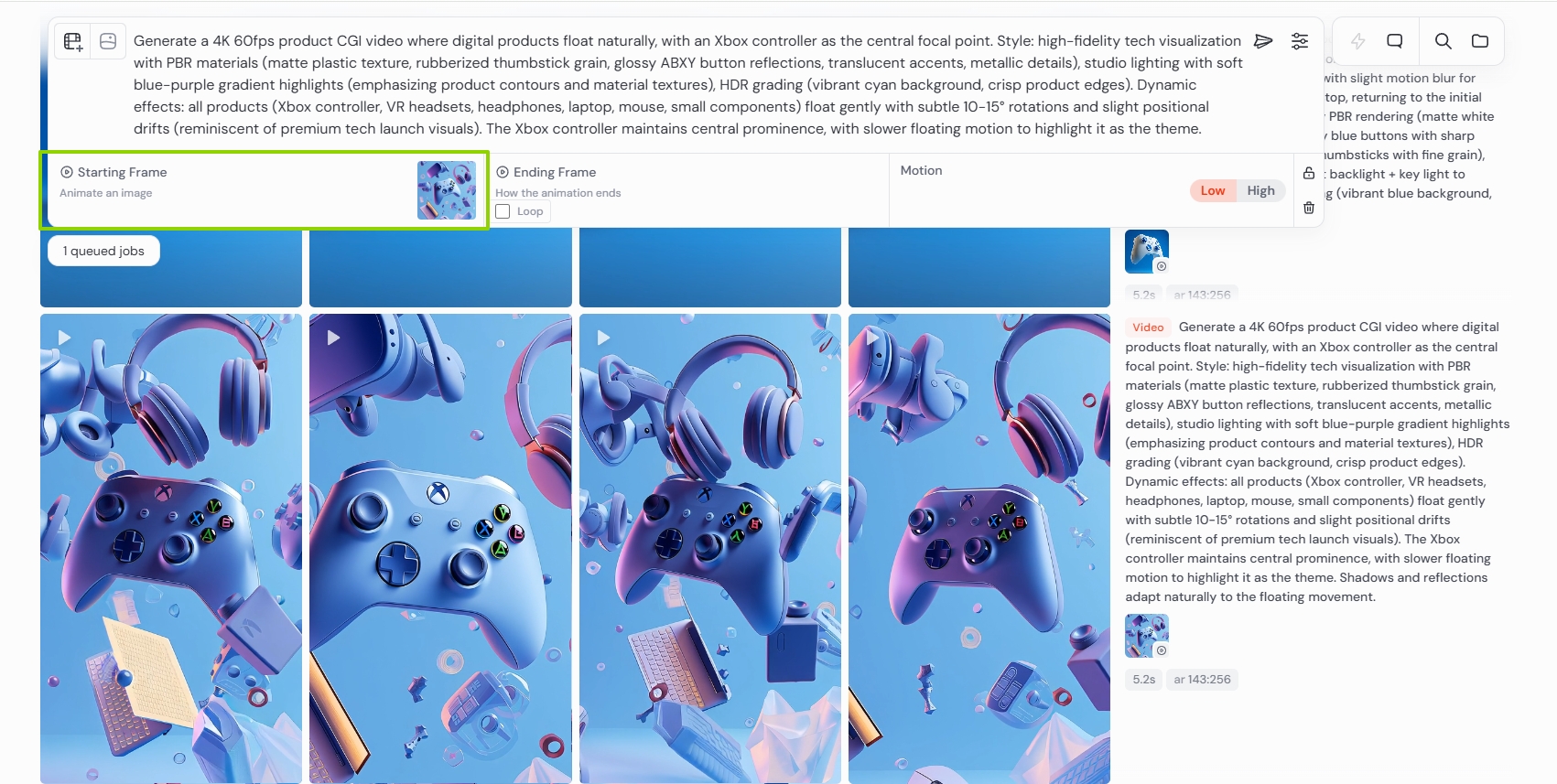
1.提示词原文
Generate a 4K 60fps product CGI video where digital products float naturally, with an Xbox controller as the central focal point. Style: high-fidelity tech visualization with PBR materials (matte plastic texture, rubberized thumbstick grain, glossy ABXY button reflections, translucent accents, metallic details), studio lighting with soft blue-purple gradient highlights (emphasizing product contours and material textures), HDR grading (vibrant cyan background, crisp product edges). Dynamic effects: all products (Xbox controller, VR headsets, headphones, laptop, mouse, small components) float gently with subtle 10-15° rotations and slight positional drifts (reminiscent of premium tech launch visuals). The Xbox controller maintains central prominence, with slower floating motion to highlight it as the theme. Shadows and reflections adapt naturally to the floating movement
2. 提示词思考逻辑
3. 操作步骤
4. 预期效果
活力青蓝背景中,Xbox 手柄居中缓慢浮动(10° 左右旋转),周边 VR 头显(半透明镜片可见)、织物耳罩耳机、金属边框笔记本、游戏鼠标等配件以 “稍快速度” 环绕浮动(15° 旋转 + 轻微漂移),蓝紫渐变柔光随产品浮动照亮轮廓,阴影与反射同步适配运动轨迹,画面如高端科技发布会的产品展示,兼具 “氛围感” 与 “产品焦点性”。
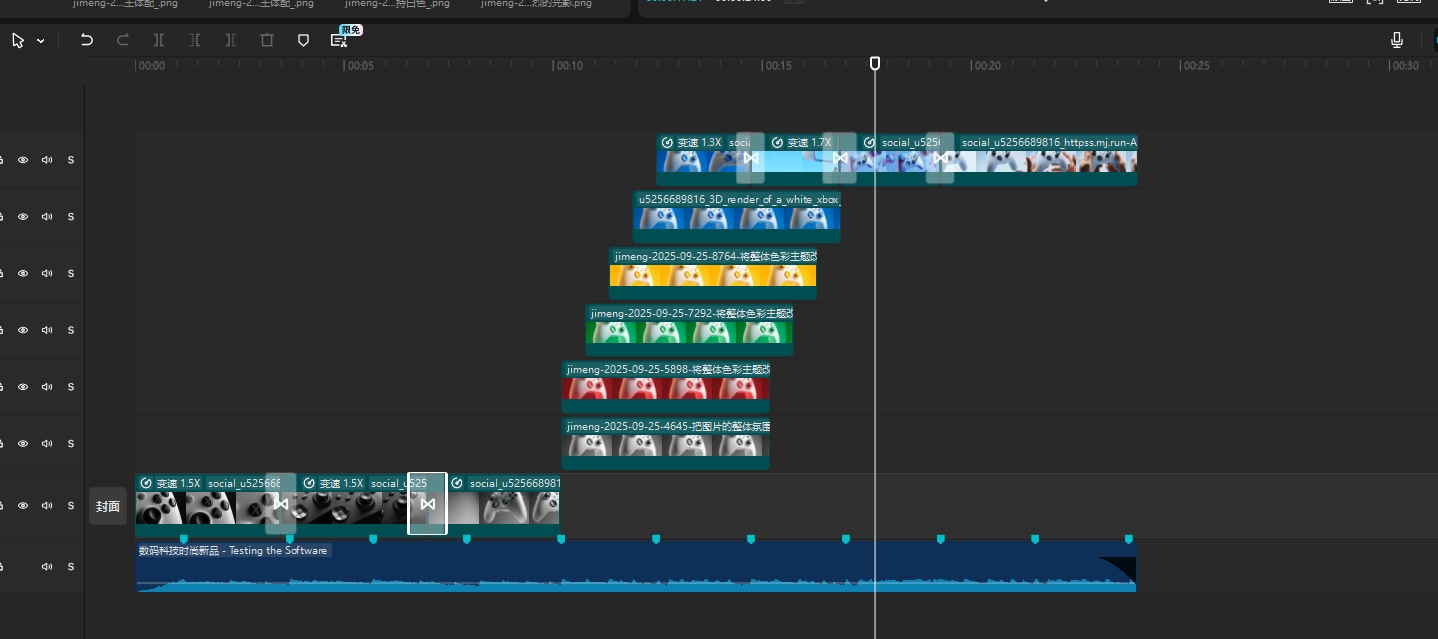
第三章:素材整合与剪辑
视频制作前就已规划好分镜顺序
由特写—全景——色彩黑白—色彩—多产品氛围—手持手柄
【免责声明】 本课程内容仅为AIGC技术教学与案例分析之目的,所引用的品牌名称、商标、Logo、广告素材等均属各自权利人所有。本平台与所提及的任何品牌方不存在任何形式的合作、联名、代言或授权关系。课程内容仅供学习参考,不构成任何商业建议。如权利人认为内容涉及侵权,请联系我们(联系方式 WX:Xiaofengguwen010),我们将在核实后第一时间处理。
视频生成执行卡
把这节课压缩成一张可执行卡片:看重点、照步骤、避坑,再复制模板直接开做。
这节课不是先追求炫技成片,而是围绕「AI 游戏手柄产品 CG 图文教程」先把主体、动作、镜头和节奏稳住。
按原文节奏走最稳:先吃透「第一章:Midjourney 生成游戏手柄静态 CG 图」,再把「第二章:Midjourney 生成游戏手柄动态 CG 视频」定住,接着处理「第三章:素材整合与剪辑」;最后用「场景 2:超写实双手握持 Xbox 手柄(广告级交互图)」收口。
- 先把「第一章:Midjourney 生成游戏手柄静态 CG 图」里的主体和动作定死。
- 这一段重点看镜头和节奏,别急着炫技。
- 做完「第三章:素材整合与剪辑」后,先查连贯性和穿帮。
- 先把「场景 2:超写实双手握持 Xbox 手柄(广告级交互图)」里的主体和动作定死。
- 把「提示词原文」整理成可复制版本,后面直接复用。
- 把「提示词思考逻辑」整理成可复制版本,后面直接复用。
不要一上来就生成最终片;先拆镜头、定主体和运动,再逐段生成,否则容易跳轴、穿帮、节奏混乱。
检查主体是否稳定;镜头运动是否明确;前后画面是否连贯;节奏是否服务主题;是否有明显变形或穿帮。
请围绕「AI 游戏手柄产品 CG 图文教程」帮我做一个可直接执行的方案。
我的目标是:【填写你的具体目标】
我的素材/产品/角色信息是:【填写已有素材和限制】

请输出:核心创意、分镜表、每个镜头的画面描述、视频生成提示词、剪辑顺序和成片自检清单。要求主体稳定、动作明确、镜头连贯。